

Creating press releases that rank high in search engines requires more than just sharing news. Proper SEO optimisation ensures your announcements reach journalists, potential customers, and search engines effectively. By using keyword-focused headlines, strategic links, multimedia, and an inverted pyramid structure, your press releases can gain higher visibility, engagement, and credibility.
With expert guidance from Odyssey Marketing, you can craft content that not only informs but drives results. Leveraging proven SEO strategies early maximises reach, boosts traffic, and positions your brand as a trusted authority in your industry.
Creating a press release that ranks well in search engines and captures attention requires more than just writing a news story. By following these proven strategies, you can ensure your announcements reach both journalists and your target audience effectively.
Checklist of SEO to Get Ranking Press Releases
Start by identifying 1–3 primary keywords relevant to your news. Naturally incorporate them into your title, subheadings, and the first 250 words of your press release. Avoid keyword stuffing; your goal is readability first. Well-placed keywords help Google understand your topic and improve search visibility.
Keyword optimisation is a crucial step before your website goes live. It ensures your pages are discoverable by search engines and attract the right audience from day one. Here’s how to approach it:
Before writing content, identify the primary keywords that are relevant to your site, products, or services. Focus on:
Assign each keyword to a specific page to avoid overlapping:
This ensures that each page targets a unique search intent.
Incorporate your chosen keywords naturally into these key areas:
Even if you include keywords, avoid stuffing them. Write naturally for users:
Your headline is often the first, and sometimes only, thing readers notice. A strong headline not only grabs attention but also signals relevance to search engines. For SEO and engagement, it should be clear, compelling, and concise. Ideally, keep it under 65 characters and include your main keyword while accurately conveying the essence of your news.
Example:
“Press Release SEO Tips to Boost Your Media Coverage”
Why it works: Keyword included, benefit clear, concise, and attention-grabbing.
The majority of readers tend to scan through content instead of meticulously reading every single word. To ensure your press release communicates effectively:
By organising your press release this way, you make it reader-friendly and digestible, increasing the chances that journalists and audiences will engage with your content.
Subheading: “Top Benefits of Our Press Releases Services”
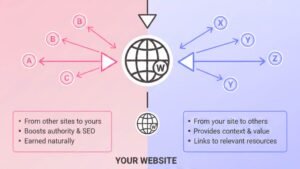
To boost both SEO and user engagement, it’s important to incorporate 1–3 contextual links within your press release. These links can point to your website, blog posts, or product pages, providing readers with additional resources or relevant information. Always use descriptive anchor text that clearly indicates what the reader will find, rather than generic phrases like “click here.” Well-placed, meaningful links not only help search engines understand your content better but also drive targeted traffic to your site naturally.
Adding visuals to your press release can significantly increase reader engagement and shareability. High-quality images, infographics, or videos help illustrate your key points, break up text, and make your content more appealing.
Be sure to include descriptive captions and alt text for images, which not only enhance accessibility but also provide additional SEO value. Multimedia elements make your press release stand out to both journalists and search engines, giving your announcement a stronger chance of being noticed.
While SEO elements are important, the core of your press release should be newsworthy and valuable. Provide insights, data, or quotes that are relevant and interesting to your target audience, especially journalists.
Content that offers real value is more likely to be picked up, shared, and referenced. Remember, the goal isn’t just to include keywords; it’s to craft a press release that informs, engages, and convinces readers that your news matters.
“Press releases that include targeted keywords and multimedia are 40% more likely to be picked up by news outlets, according to recent industry data.”
Every press release should guide readers on what to do next. Ending with a clear call to action helps turn interest into measurable results. Whether it’s encouraging readers to visit your website, download a resource, sign up for a demo, or contact your team, the CTA should be concise, specific, and easy to follow. A well-crafted CTA ensures your press release not only informs but also drives meaningful engagement.
“Get Your Brand Featured with Interesting Press Writing Release — Start Today”
A standard company boilerplate gives journalists and readers a quick overview of your organisation. Keep it concise, professional, and consistent across all press releases. Include essential details such as your company’s mission, key offerings, and a brief history.
Additionally, provide clear contact information for media inquiries, so reporters or interested parties can easily reach out for further information. This builds credibility and encourages follow-ups.
Boilerplate: “About SEOPress: SEOPress specialises in optimising digital content, including press releases, for search engines and media visibility.”
Contact: “Media Inquiries: https://odysseymarketing.ae/contact/ | +971507619804”
If your announcement targets a specific location or region, including geographic keywords in both the headline and body of your press release can improve visibility in local search results.
Mention the city, region, or market your news pertains to, while keeping the content natural and readable. Local SEO ensures that your press release reaches the right audience, attracting attention from nearby customers, media outlets, and search engines alike.
Don’t let your press releases get lost online. With Odyssey Marketing, you can create SEO-optimised releases that attract journalists, boost website traffic, and engage your audience. Start leveraging keywords, visuals, and strategic links to make every announcement count.
Contact us now or visit our press release services page in Dubai and take your brand visibility to the next level. Claim your free quote and receive a no-obligation expert consultation from an SEO consultant.