
Meta Business Suite: The Complete Guide to Managing Facebook & Instagram Like a Pro
Managing a multi-channel social media presence is notoriously demanding. Between keeping up with daily posting schedules, responding to DMs across multiple apps, tracking ad spend, and trying to understand reach analytics, social media managers and business owners often feel like they are juggling blindfolded. That operational friction is precisely why Meta Business Suite exists.
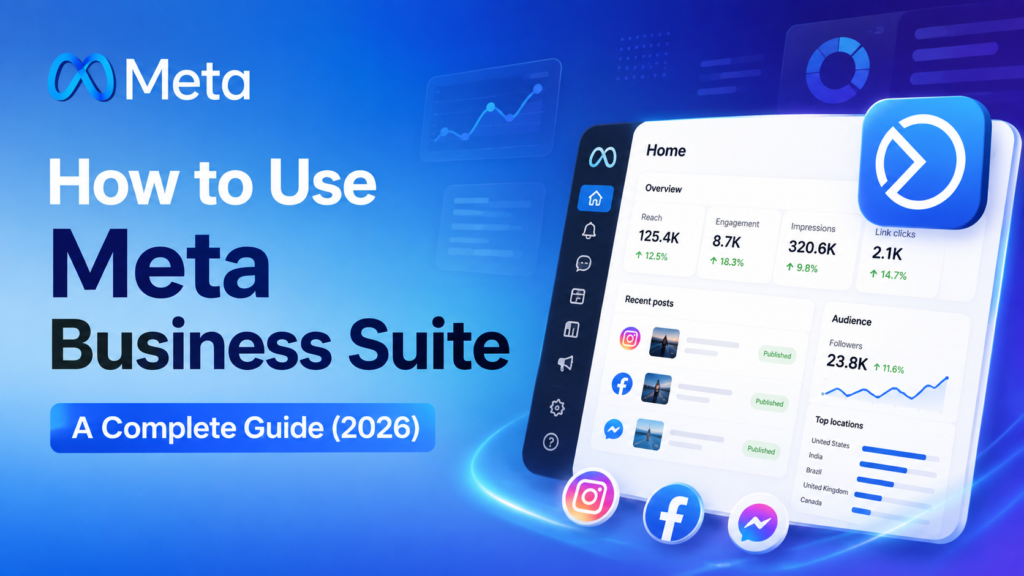
Whether you run a growing e-commerce brand, a local service provider, or a regional enterprise, Meta Business Suite serves as your central command centre for Facebook, Instagram, and Messenger.
In this comprehensive guide, Odyssey Marketing breaks down everything you need to know about Meta Business Suite, including how it differs from Meta Business Manager and industry statistics proving why you need it. Additionally, step-by-step strategies to turn it into a high-ROI engine for your brand.
Why Centralised Social Management Matters (The Facts & Figures)
Fragmented social media management doesn’t just waste time; it actively drains revenue and damages brand reputation. Consider the latest industry data:
- The Speed Advantage: 76% of consumers expect a response from a business on social media within 24 hours, and 40% expect a reply within 60 minutes. A centralised inbox prevents missed opportunities.
- Consistency Drives Growth: Brands that publish content consistently across Facebook and Instagram experience up to 3.5x higher engagement rates compared to brands with sporadic posting habits.
- The Dominance of Meta Ecosystems: Over 200 million businesses use Meta’s free tools every month to connect with customers across Facebook, Instagram, and WhatsApp.
- Video & Reel Traction: Instagram Reels generate 40% higher engagement than static posts. Having a unified planner allows you to schedule short-form video content seamlessly across platforms.
Meta Business Suite vs. Meta Business Manager: Key Differences
One of the most common points of confusion for marketers is distinguishing between Meta Business Suite and Meta Business Manager. While they live under the same corporate umbrella, they serve two fundamentally different functions.
| Feature / Capability | Meta Business Suite | Meta Business Manager |
| Primary Focus | Daily organic publishing, inbox management, quick analytics, and basic post boosting. | Backend infrastructure, enterprise ad accounts, developer assets, and pixel management. |
| Best Used By | Content creators, social media managers, community managers, and small-to-midsize business owners. | Media buyers, data analysts, developers, and agency teams handling complex infrastructure. |
| Core Functions | Multi-platform scheduling, combined FB/IG inbox, content planner, reel publishing. | Assigning enterprise permissions, domain verification, system user tokens, and product catalogue feeds. |
| Interface Style | Streamlined, visual, content-first navigation. | Technical, administrative, tabular navigation. |
Professional Digital Marketer Tip!
Think of Meta Business Suite as your brand’s daily front-of-house operating system, while Meta Business Manager is the backend infrastructure room. Most scaling businesses use Business Suite for day-to-day engagement and Business Manager for deep technical configuration.
Core Features Breakdown: What You Can Do inside the Dashboard
Meta Business Suite groups your day-to-day social operations into five high-impact hubs:
1. Cross-Platform Content Planner & Scheduler
Stop logging in and out of separate accounts. The unified content calendar allows you to:
- Batch-Schedule Posts & Reels: Schedule content days, weeks, or months in advance for both Facebook and Instagram simultaneously.
- Customise Per Channel: Adjust captions, hashtags, tags, and link attachments individually for each platform before publishing.
- Optimal Times Indicator: Meta’s AI analyses when your specific followers are online and recommends peak times for maximum reach.
2. The Unified Communications Inbox
Missed messages mean lost sales. The Inbox consolidates incoming communication from:
- Facebook Messages & Comments
- Instagram Direct Messages (DMs) & Post Comments
- WhatsApp Business Messages
- Automated Instant Replies: Set up out-of-office triggers, FAQ autoresponders, and greeting messages to maintain a sub-10-minute initial response time.
3. Integrated Insights Engine
Instead of drowning in vanity metrics, Meta Business Suite streamlines analytics into clear performance levers:
- Audience Demographics: Age, location, gender, and online active times.
- Content Performance Metrics: Reach, impressions, video retention curves, link clicks, and engagement rates.
- Competitive Benchmarking: Track your growth alongside similar businesses in your industry.
4. Simplified Ad Management & Post Boosting
Launch targeted campaigns without navigating through complex ad setup workflows:
- Turn high-performing organic posts into boosted ads with a few clicks.
- Create basic goal-oriented campaigns (e.g., website traffic, lead form capture, messaging leads).
- Monitor real-time ad spend, cost-per-click (CPC), and performance across campaigns.
5. Media Asset File Manager
Store your brand’s official imagery, video clips, logos, and creative templates in structured folders accessible by your entire marketing team, ensuring strict brand consistency.
How to Set Up Meta Business Suite in 6 Steps
Getting your dashboard up and running takes less than 15 minutes. Follow this step-by-step onboarding process:
- Access the Portal: Go to business.facebook.com and sign in with your primary personal Facebook profile (this acts as your administrative key).
- Create or Select Your Business Portfolio: Follow the prompt to name your business entity and enter your official business email address.
- Connect Your Facebook Page: Navigate to Settings > Business Assets > Pages and claim or link your official brand page.
- Link Your Instagram Professional Account: Under Settings > Instagram Accounts, log into your Instagram business or creator account to establish the API bridge.
- Sync WhatsApp Business (Optional): If you use WhatsApp to handle customer service, enter your registered business phone number to route incoming chats into your unified inbox.
- Assign Role-Based Permissions: Go to Settings > People and invite team members. Assign them clear roles based on operational responsibility:
- Full Control (Admin): Ownership settings, billing, structural access.
- Partial Control (Standard): Content creation, inbox management, insights, ads creation.
Advanced Growth Strategies: How to Maximise ROI
Simply installing the software isn’t enough; execution is what drives bottom-line revenue. Here is how leading brands maximise Meta Business Suite:
Strategy 1: Build a “70/20/10” Content Engine
Use the visual planner to balance your content pipeline across three core pillars:
- 70% Value & Entertainment: Educational carousel posts, industry tips, customer stories, high-value Reels.
- 20% Shared & Interactive: Polls, user-generated content (UGC), interactive Q&As, community spotlight posts.
- 10% Direct Conversion: Product announcements, limited-time promotions, service offers, landing page call-to-actions.
Strategy 2: Automate the First 80% of Customer Support
Reduce manual workload by leveraging Meta’s built-in Inbox Automation:
- Instant Greeting: Automate a greeting that sets clear expectation times (“Thanks for reaching out! We typically reply within 2 hours”).
- Saved Replies (Canned Responses): Store standard answers for common questions regarding shipping policies, operating hours, prices, and location links.
- Instant FAQ Buttons: Display tap-to-ask questions in Instagram DMs to route inquiries automatically.
Strategy 3: Turn Organic Winners into Paid Engines
Don’t gamble the budget on untested ad creatives. Use your Insights tab to identify organic posts with above-average engagement rates (e.g., top 5% reach or saves). Then, use the Boost feature to amplify those exact winners with targeted budget allocations.
5 Critical Mistakes to Avoid
- Failing to Restrict Admin Access: Granting “Full Access” to external contractors or temporary creators poses a severe security risk. Always use fine-grained permission assignments.
- Ignoring the Optimal Posting Window: Posting when your global or local audience is asleep drastically hurts initial algorithmic distribution. Check your Insights weekly.
- Neglecting Spam & Comment Moderation: Leaving negative spam links or offensive comments unmoderated on your public posts suppresses customer trust. Use auto-moderation keywords in inbox settings.
- Treating Instagram & Facebook Identically: Re-posting exact cross-posted captions without adjusting link formats or hashtag counts can look lazy. Customise captions per channel within the scheduler tool.
- Ignoring Conversion Pixels: If you run web traffic campaigns through Meta Business Suite without setting up the Meta Pixel on your website, you lose the ability to track real sales ROI.
Pre-Publishing Checklist for Social Managers
Before scheduling your batch of content, double-check your output against this quality assurance list:
- Is the caption customised appropriately for both Facebook (link-friendly) and Instagram (hashtag-optimised)?
- Are images/videos formatted in the correct aspect ratios (1:1 square, 4:5 vertical feed, 9:16 Reels/Stories)?
- Has the posting time been aligned with peak online audience activity shown in Insights?
- Are product tags or location tags added where applicable?
- Is auto-reply enabled for weekend and after-hours inbox inquiries?
Frequently Ask Questions
Is Meta Business Suite completely free to use?
Yes, Meta Business Suite is 100% free software provided by Meta. You only pay if you explicitly choose to launch paid advertising campaigns or boost existing content.
Can I manage TikTok, LinkedIn, or Twitter/X inside Meta Business Suite?
No. Meta Business Suite is proprietary software built exclusively for Meta-owned platforms (Facebook, Instagram, Messenger, and WhatsApp). For non-Meta networks, third-party social media management tools are required.
What happens to scheduled posts if I change my password or disconnect my accounts?
If you change your underlying account security credentials or lose admin rights to a page, scheduled posts may pause until you re-authenticate the asset connections inside your Business Portfolio settings.
Is Meta Business Suite available on mobile devices?
Yes, Meta offers a dedicated Meta Business Suite mobile app on both iOS and Android. It allows you to schedule posts, review analytics, and reply to customer inquiries on the move.
What is the best way to handle negative reviews or public comments inside the inbox?
Never delete a genuine customer complaint unless it violates safety/profanity standards. Instead, use your unified inbox to reply publicly with a courteous, solution-oriented message, then invite the customer to resolve the matter privately in DMs.
Scaling Beyond Meta Business Suite: When to Bring in an Agency
Meta Business Suite is an exceptional tool for operating directly within the Meta ecosystem. However, as your company grows, social media requirements often extend beyond basic posting and inbox replies. You may find yourself needing:
- Multi-platform integration extending beyond Meta (LinkedIn, TikTok, X, YouTube).
- High-production content generation (3D animation, videography, influencer management).
- Complex paid advertising campaigns (conversion API setup, custom retargeting funnels, enterprise budget management).
- Advanced multi-touch attribution reporting and custom CRM integrations.
This is where working alongside a full-service marketing partner becomes essential. At Odyssey Marketing, we bridge the gap between tool management and bottom-line revenue. We build end-to-end growth strategies, craft high-converting ad creative, and turn your social platforms into predictable revenue channels.